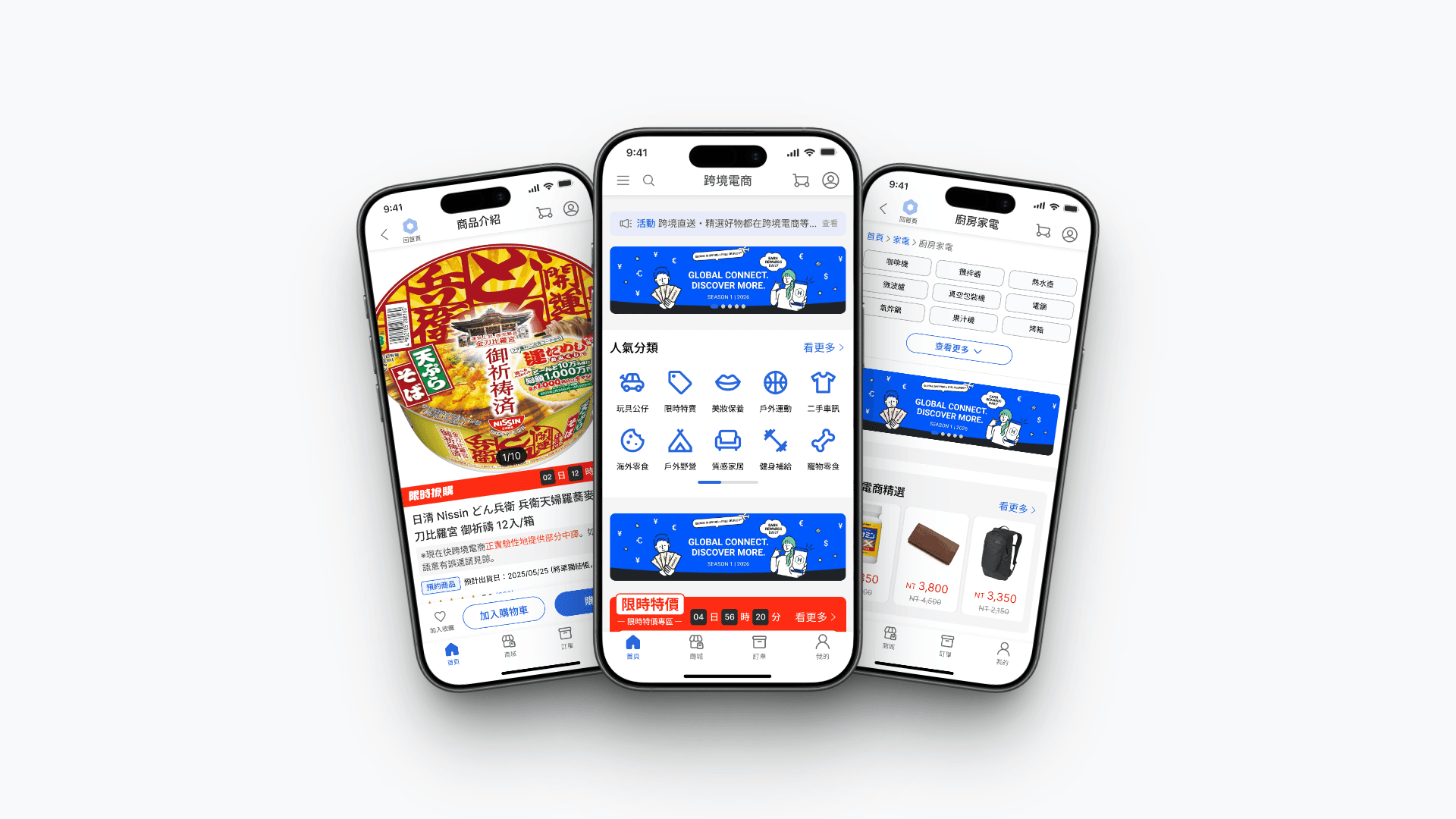
Cross-Border E-commerce Platform Launch
🏆 Project Highlights
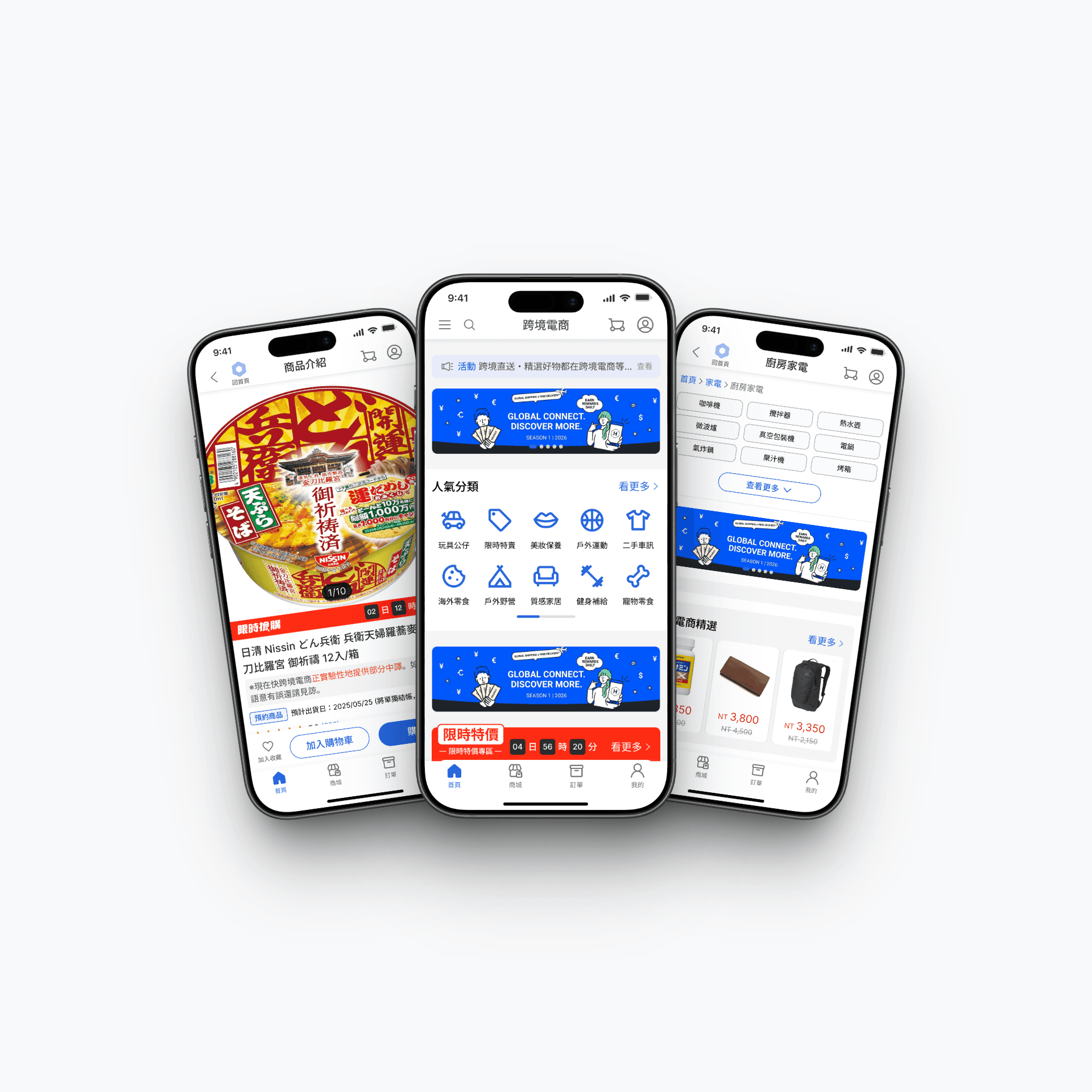
Successfully launched a new cross-border e-commerce platform within a tight 4-month window.
Developed a Dual-Platform UI Strategy to balance corporate branding with third-party app requirements.
Engineered a Lean Design System Architecture optimized for a high-efficiency 3-person team.
🚀 Project Vision
Create a cohesive cross-border e-commerce service that seamlessly integrates into both the corporate web platform and partner app WebViews.
Category
E-commerce
Role
Lead UI Designer
Timeline
2025/04~08
Tools
Figma、Notion
🧗 Challenges
Platform Conflict: Balancing internal UI identity with external partner design constraints.
Resource Constraints: Delivering a scalable system with a small 3-person team.
Time-to-Market: Meeting a strict August launch deadline while maintaining design quality.
🔍 Situation
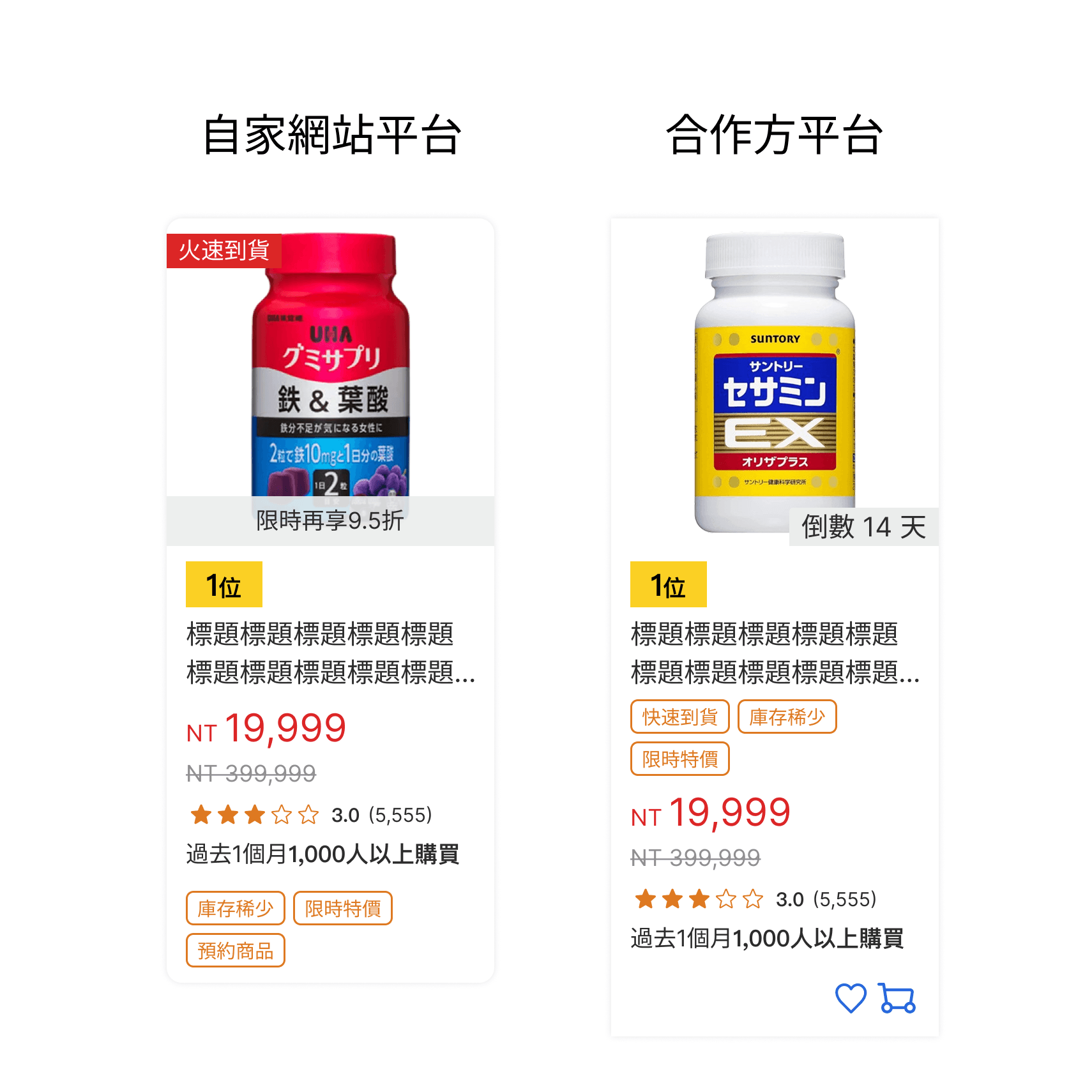
The company initiated a new cross-border e-commerce service to be deployed on two fronts: our proprietary web platform and a partner app’s WebView. The primary conflict was maintaining our product’s identity while adhering to the partner's UI guidelines. With a lean team of only three designers, the solution had to be simple, maintainable, and highly scalable.
🔍 Situation
The company initiated a new cross-border e-commerce service to be deployed on two fronts: our proprietary web platform and a partner app’s WebView. The primary conflict was maintaining our product’s identity while adhering to the partner's UI guidelines. With a lean team of only three designers, the solution had to be simple, maintainable, and highly scalable.
📝 Task
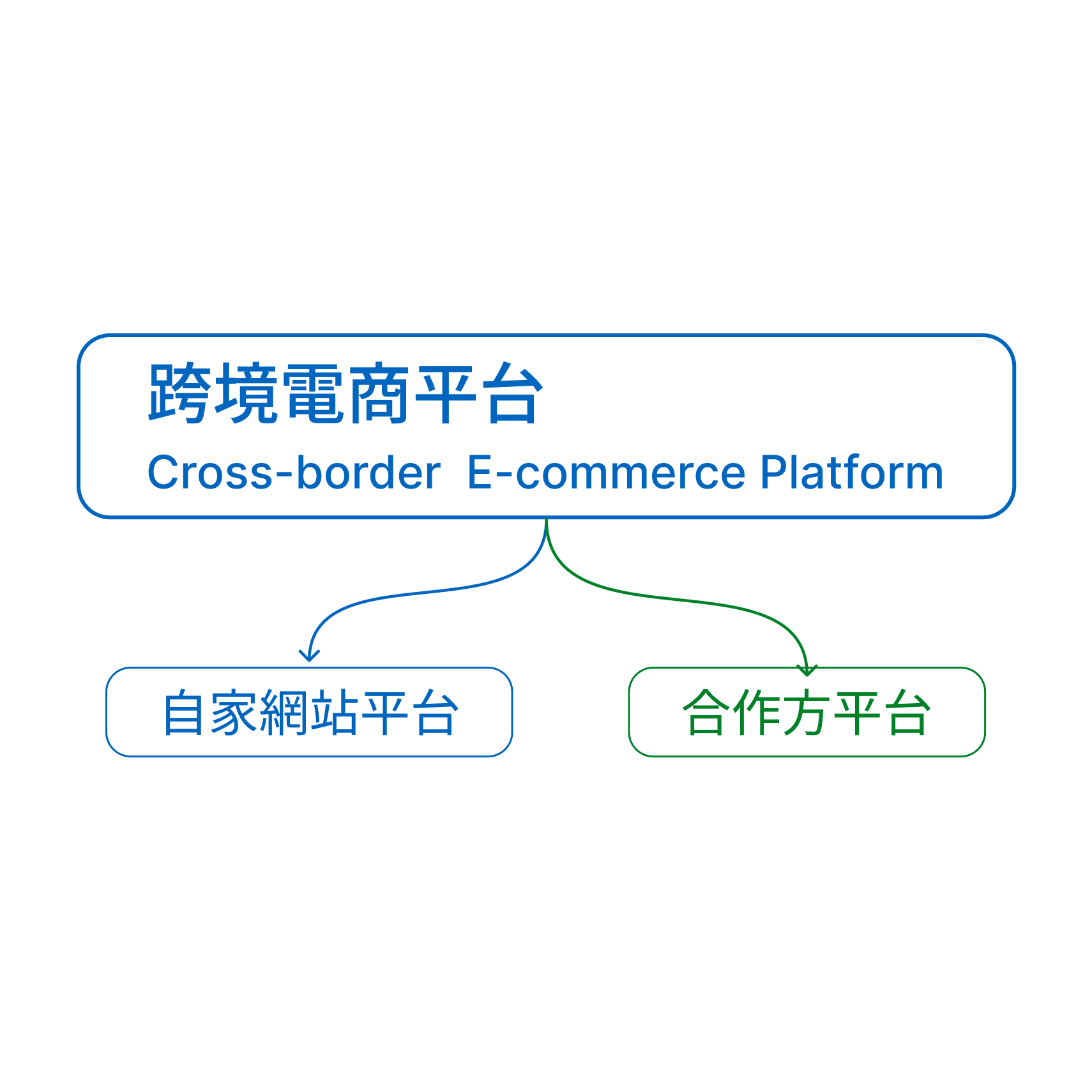
My goal was to architect a UI solution that supported dual-platform requirements without doubling the maintenance workload. Key objectives included:
Defining a cross-platform design strategy (Web vs. WebView).
Establishing a tiered design system to prevent redundant work.
Standardizing cross-functional collaboration and design documentation (Design Logs).
📝 Task
My goal was to architect a UI solution that supported dual-platform requirements without doubling the maintenance workload. Key objectives included:
Defining a cross-platform design strategy (Web vs. WebView).
Establishing a tiered design system to prevent redundant work.
Standardizing cross-functional collaboration and design documentation (Design Logs).
⚡ Action
Step 1 — Strategic Collaboration & Alignment
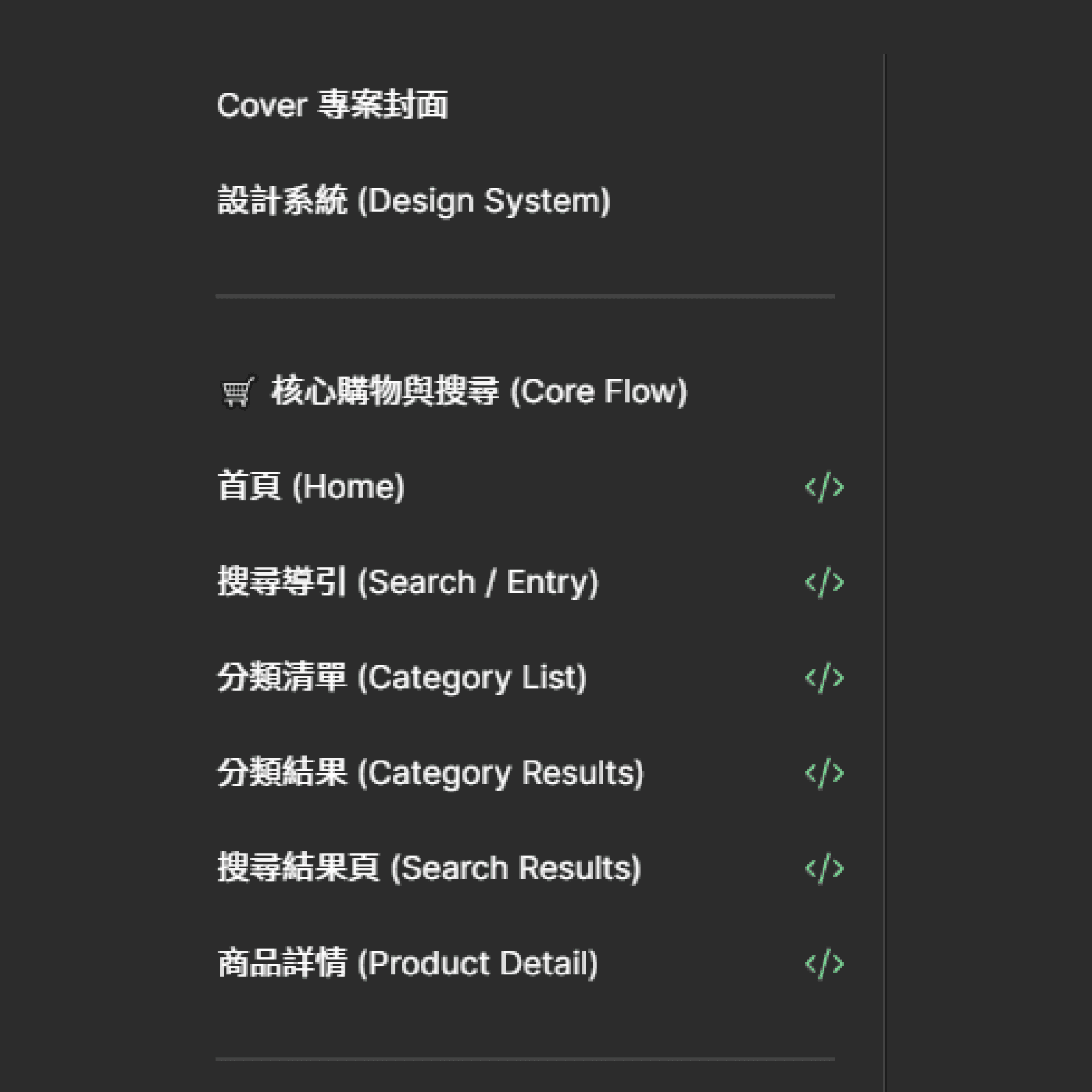
Before execution, I led a pre-project sync with PMs to align on the workflow. I focused on building core pages (Home, Search, Product Detail) and established a temporary "Project System Page" within Figma. This allowed the team to reuse components immediately before they were officially integrated into the global system, preventing us from "reinventing the wheel."
⚡ Action
Step 1 — Strategic Collaboration & Alignment
Before execution, I led a pre-project sync with PMs to align on the workflow. I focused on building core pages (Home, Search, Product Detail) and established a temporary "Project System Page" within Figma. This allowed the team to reuse components immediately before they were officially integrated into the global system, preventing us from "reinventing the wheel."
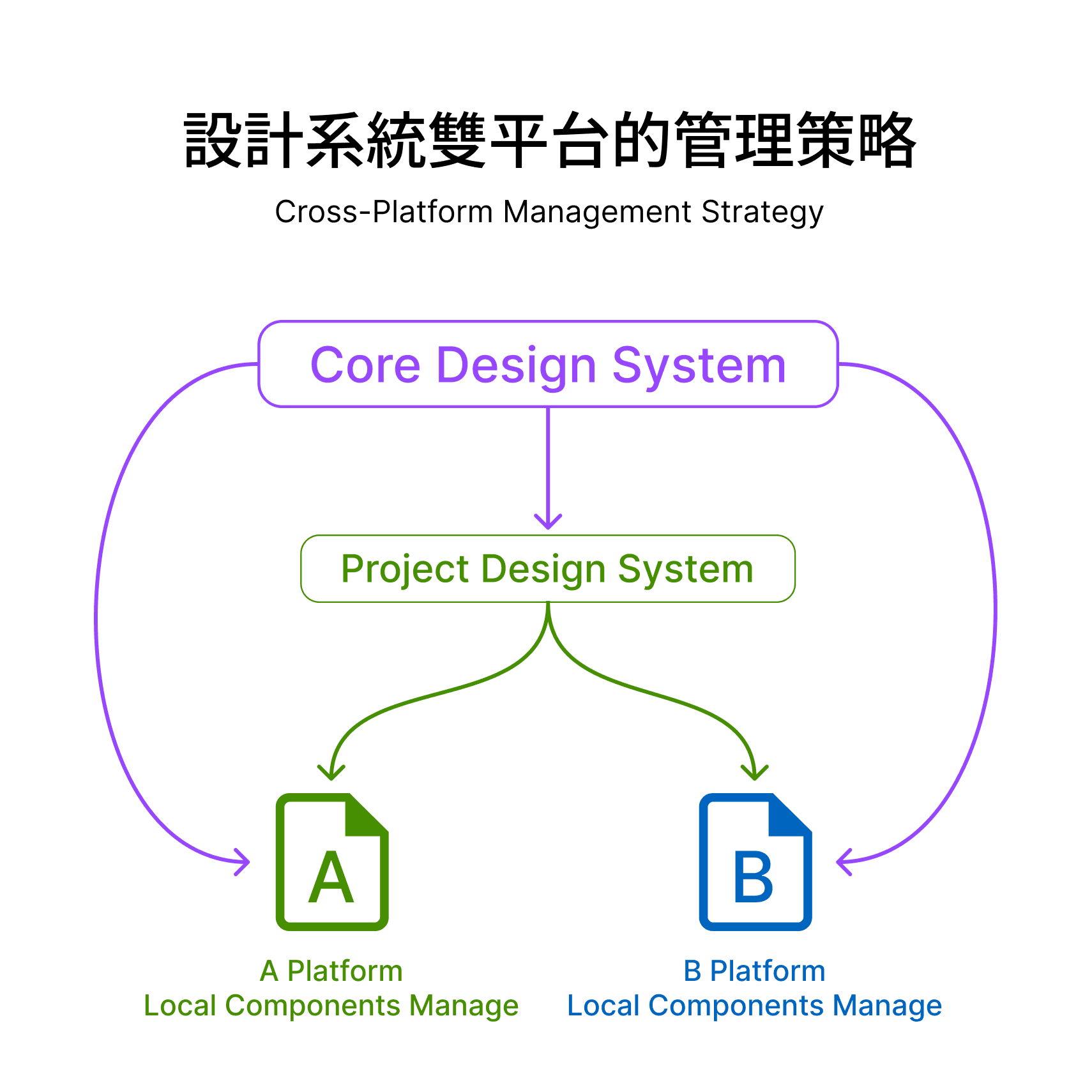
Step 2 — Three-Tier Design System Management
To manage the dual-platform complexity efficiently, I implemented a three-tier hierarchy:
Core System: Global foundational elements (Color, Spacing, Buttons).
Project System: Shared patterns specific to this service (Product Cards, Theming).
Local Files: Platform-specific components (Headers/Footers for Web vs. App) kept within specific project files to reduce system bloat.
Step 2 — Three-Tier Design System Management
To manage the dual-platform complexity efficiently, I implemented a three-tier hierarchy:
Core System: Global foundational elements (Color, Spacing, Buttons).
Project System: Shared patterns specific to this service (Product Cards, Theming).
Local Files: Platform-specific components (Headers/Footers for Web vs. App) kept within specific project files to reduce system bloat.
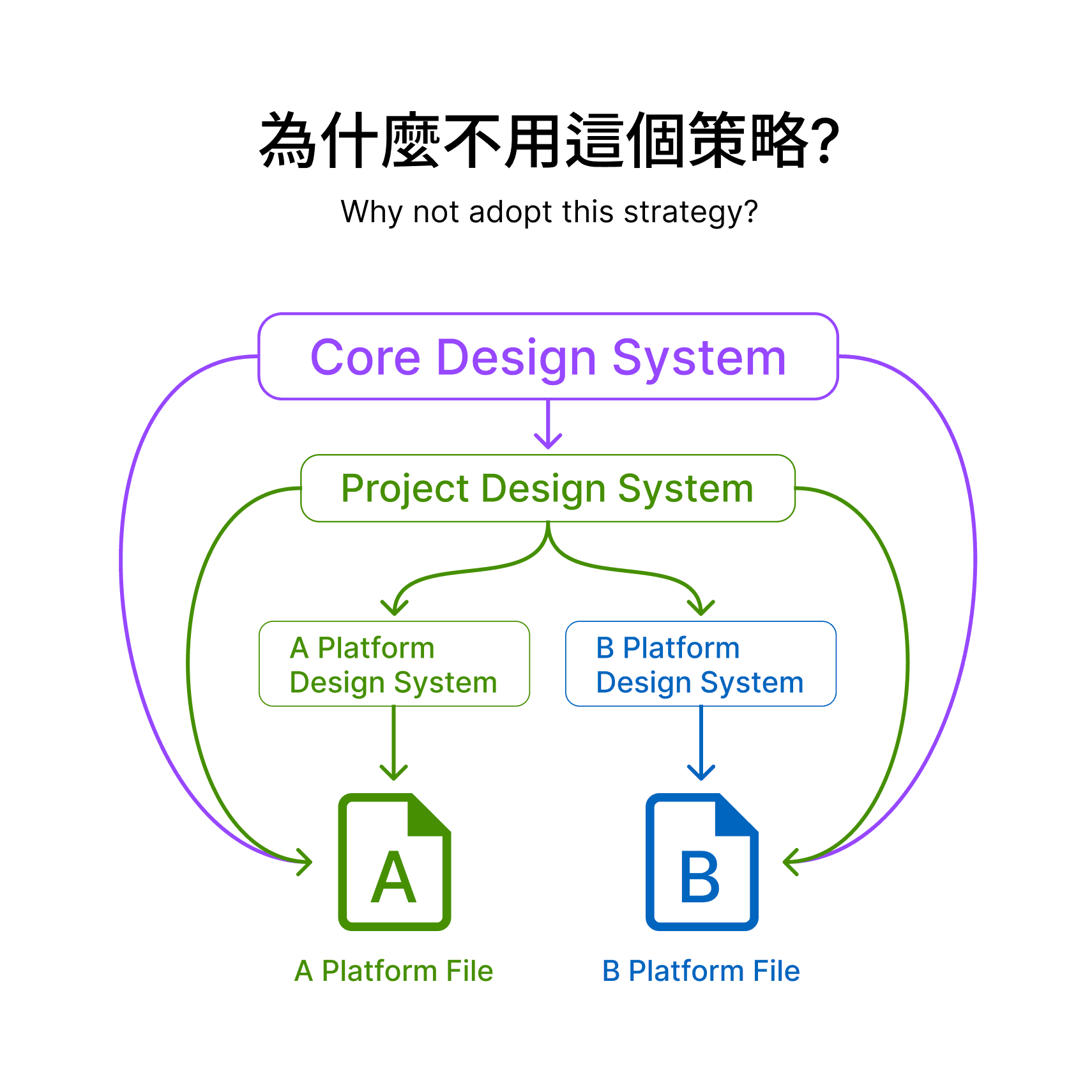
Step 3 — Lean Maintenance Philosophy
Why not separate systems for Web and WebView? Resource optimization. With only three designers, maintaining two distinct libraries would have been unsustainable. By keeping platform-specific elements local, we minimized the sync overhead while allowing the "Core" to remain lean and agile.
Step 3 — Lean Maintenance Philosophy
Why not separate systems for Web and WebView? Resource optimization. With only three designers, maintaining two distinct libraries would have been unsustainable. By keeping platform-specific elements local, we minimized the sync overhead while allowing the "Core" to remain lean and agile.
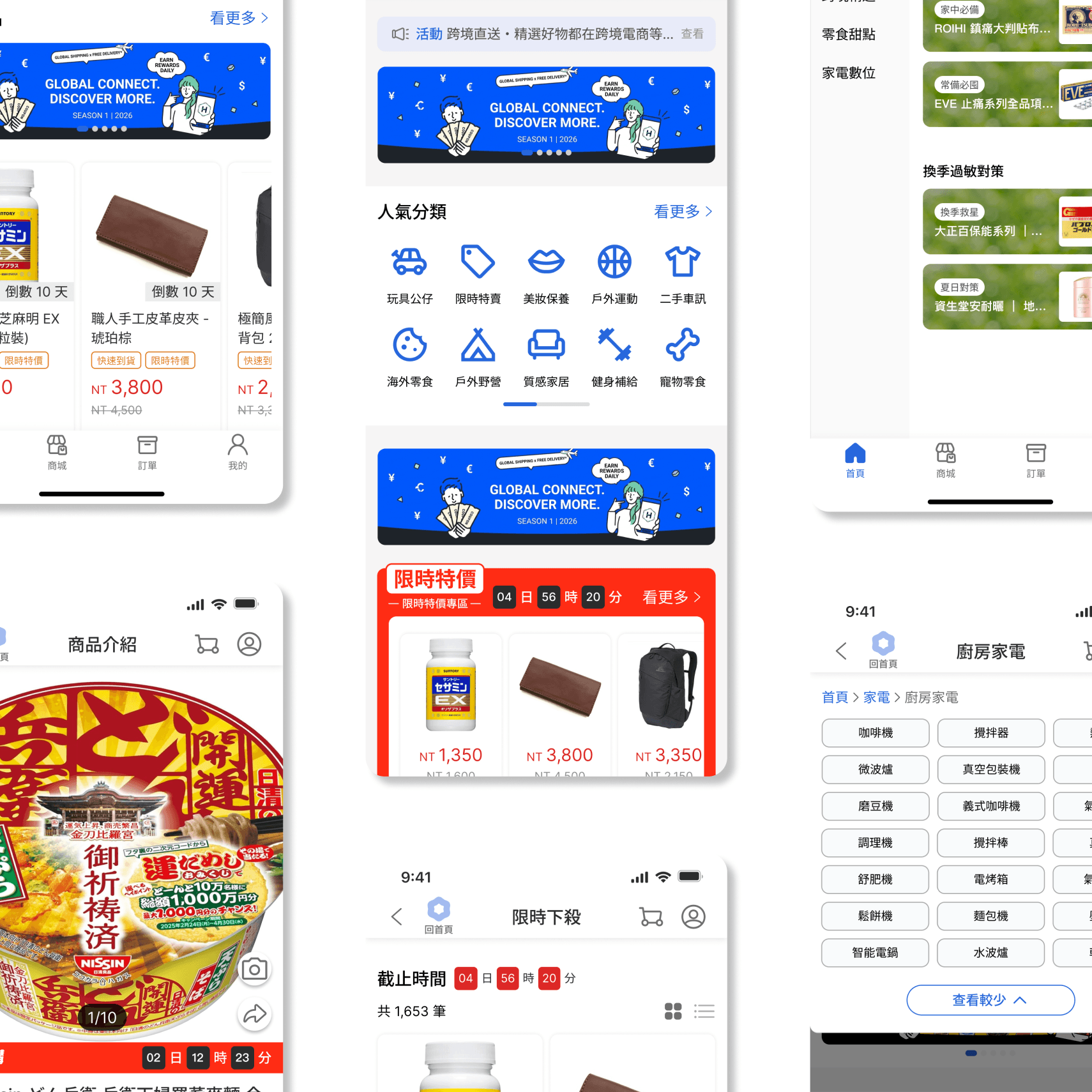
Step 4 — Building the Foundation
Once the strategy was set, I prioritized building high-complexity pages—such as the Homepage, Product Detail Page, and Shopping Cart—using Core Tokens.
The Logic: These pages contain the highest density of components. By establishing these "foundational" layouts first, I created a clear blueprint for the entire product.
The Result: With a solid prototype in place, other designers could rapidly extend secondary pages based on this foundation, ensuring visual and logic consistency across the board.
Step 4 — Building the Foundation
Once the strategy was set, I prioritized building high-complexity pages—such as the Homepage, Product Detail Page, and Shopping Cart—using Core Tokens.
The Logic: These pages contain the highest density of components. By establishing these "foundational" layouts first, I created a clear blueprint for the entire product.
The Result: With a solid prototype in place, other designers could rapidly extend secondary pages based on this foundation, ensuring visual and logic consistency across the board.
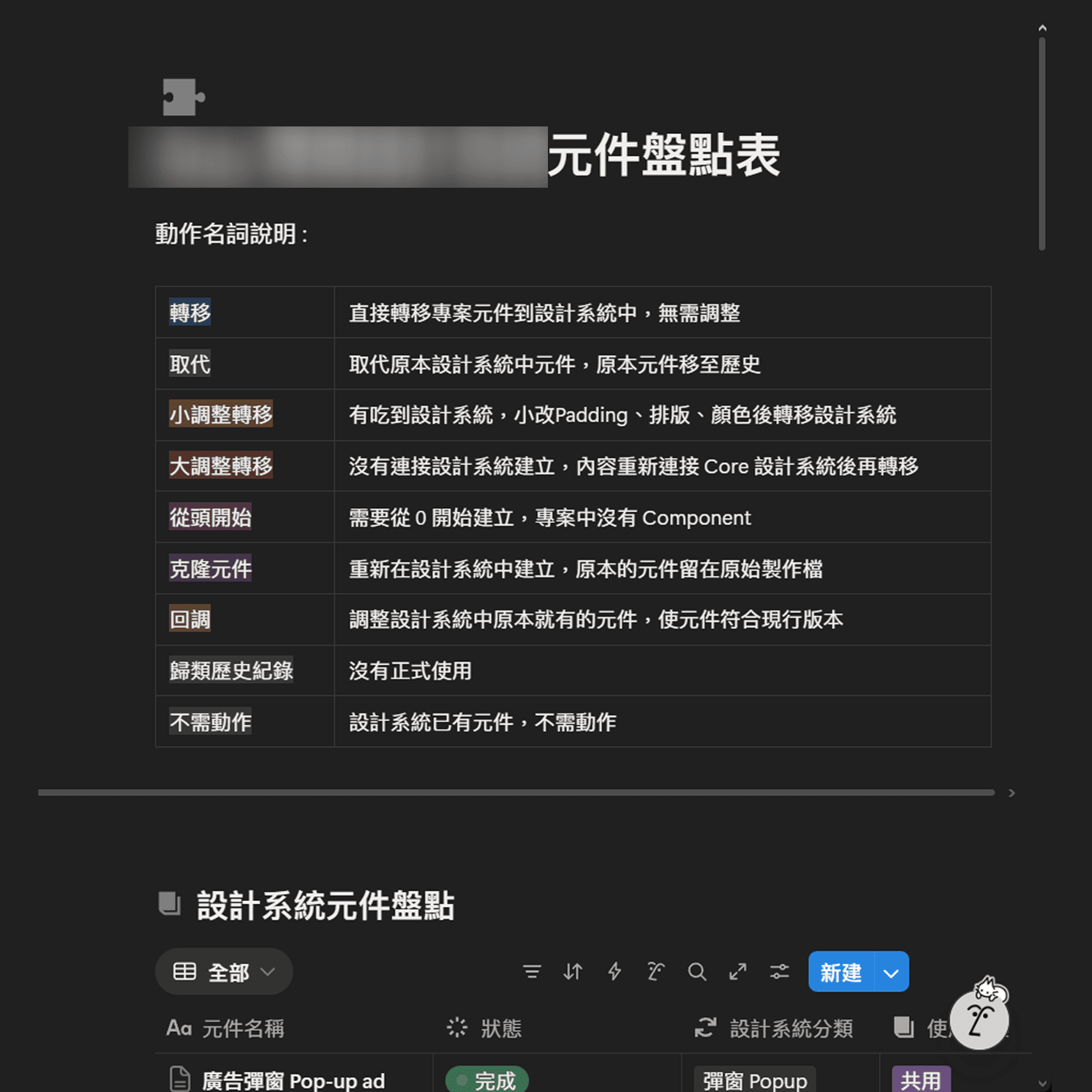
Step 5 — Governance & Documentation
Post-launch, I formalized the system by creating a Notion-based Component Database. This served as a governance handbook, detailing component classifications and update protocols for both Design and Engineering teams.
Step 5 — Governance & Documentation
Post-launch, I formalized the system by creating a Notion-based Component Database. This served as a governance handbook, detailing component classifications and update protocols for both Design and Engineering teams.
✨ Results
The platform launched on schedule in August with high fidelity to the original vision.
Achieved a unified user experience across diverse platforms (Web & App).
Established a Sustainable Workflow that empowered a small team to manage multi-platform products with minimal friction.
✨ Results
The platform launched on schedule in August with high fidelity to the original vision.
Achieved a unified user experience across diverse platforms (Web & App).
Established a Sustainable Workflow that empowered a small team to manage multi-platform products with minimal friction.
🌱 Reflection
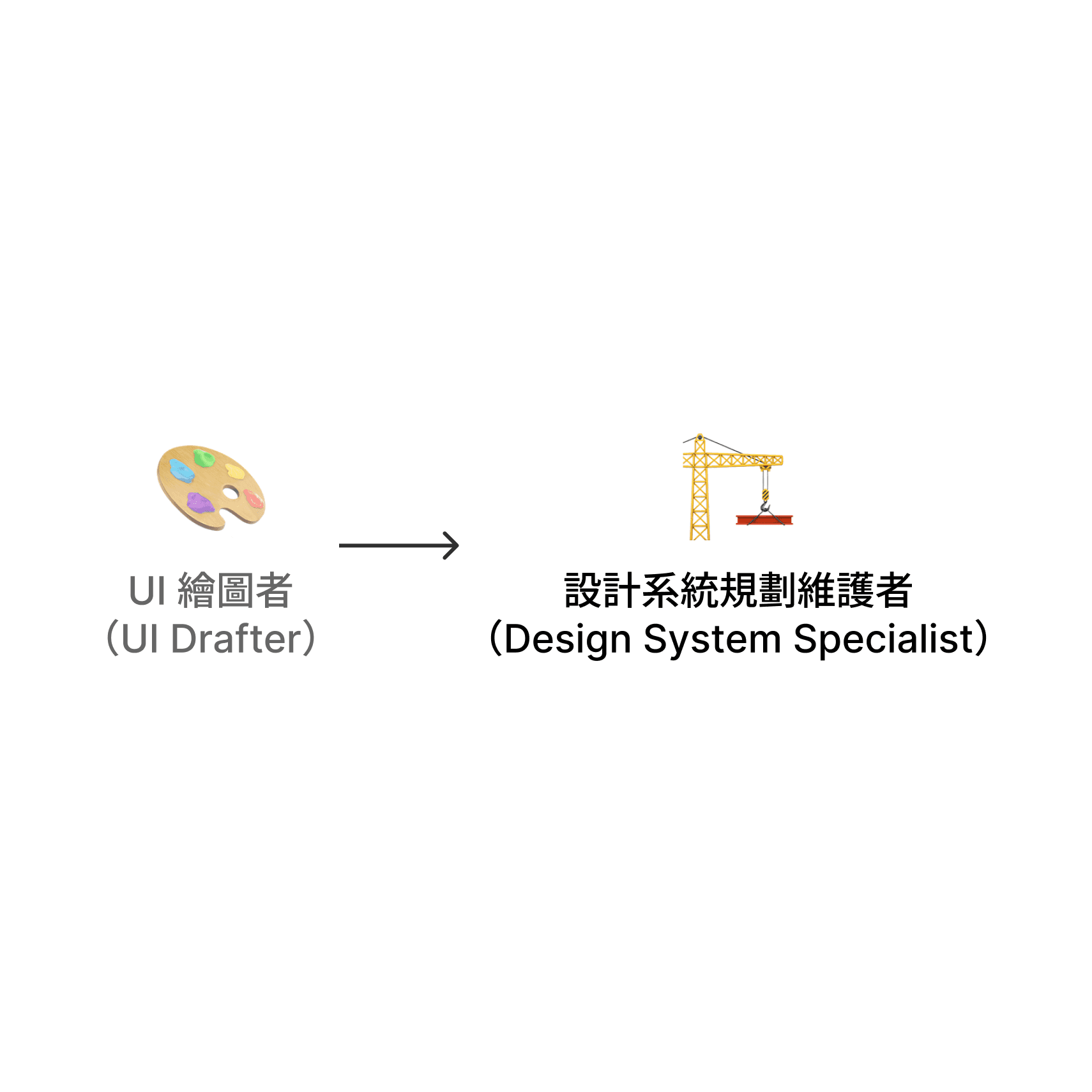
This project marked my transition from a "UI Pixel-Pusher" to a "Design System Architect." I learned that great design isn't just about how a button looks, but about how it functions within a larger ecosystem under real-world constraints like team size and deadlines.
🌱 Reflection
This project marked my transition from a "UI Pixel-Pusher" to a "Design System Architect." I learned that great design isn't just about how a button looks, but about how it functions within a larger ecosystem under real-world constraints like team size and deadlines.
See more works:)
Design System
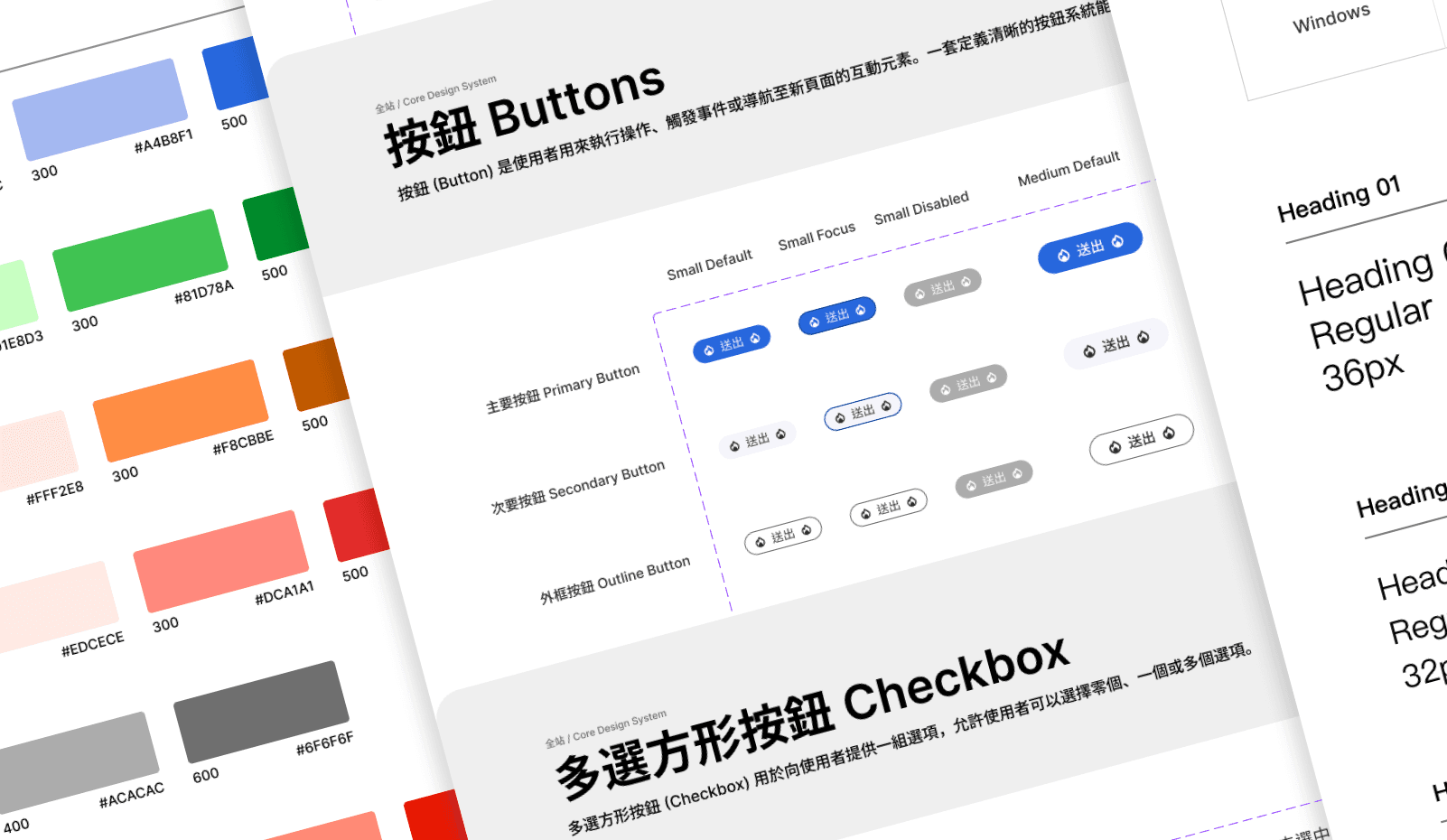
Cross-Border E-commerce Design System
A large-scale design system project for a major e-commerce platform, successfully quadrupling (4x) development efficiency.
Design System
Cross-Border E-commerce Design System
A large-scale design system project for a major e-commerce platform, successfully quadrupling (4x) development efficiency.
Design System
Cross-Border E-commerce Design System
A large-scale design system project for a major e-commerce platform, successfully quadrupling (4x) development efficiency.
Game
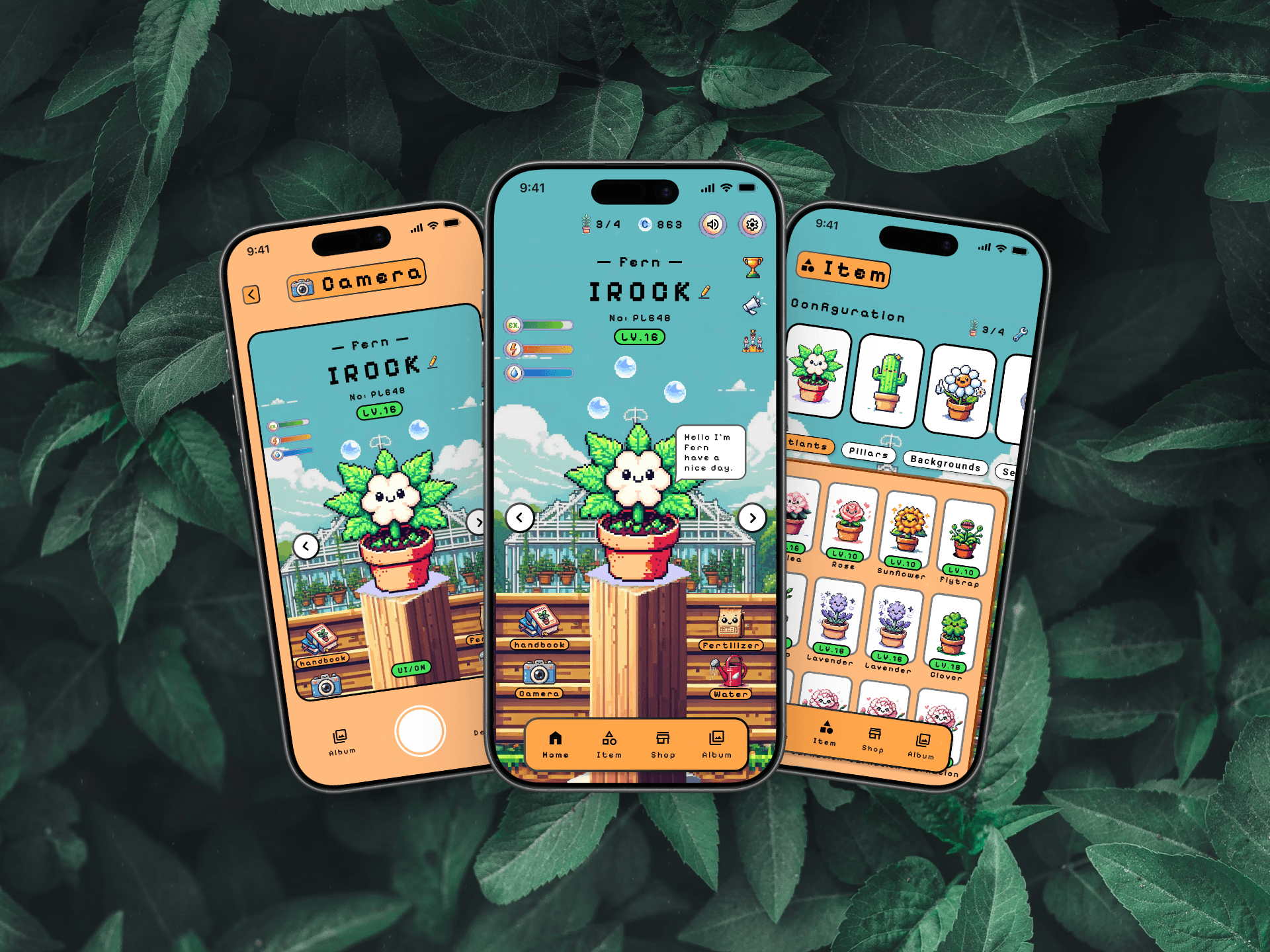
Petlans
A cross-border, multi-disciplinary collaborative project focused on SDGs.
Game
Petlans
A cross-border, multi-disciplinary collaborative project focused on SDGs.
Game
Petlans
A cross-border, multi-disciplinary collaborative project focused on SDGs.